Trunkbase isn't a chatbot, and it doesn't think for you. It doesn't answer your questions — it hands your AI the context to answer them, from documents that never leave your machine unless you say so. AI-first, human-driven: every permission and guardrail sits with you.
Your data stays yours
Trunkbase runs on your device. Decomposing files, searching, building the knowledge graph — all of it happens locally, with no account and no cloud dependency. Trunkbase itself sends nothing anywhere.
The honest part worth stating plainly:
Trunkbase sends nothing — your AI app might. Your files stay on this machine. But when you connect an AI client and it reads a note, that client may send what it reads to its own cloud. You choose which apps to connect, and what they can see.
The guardrails, concretely
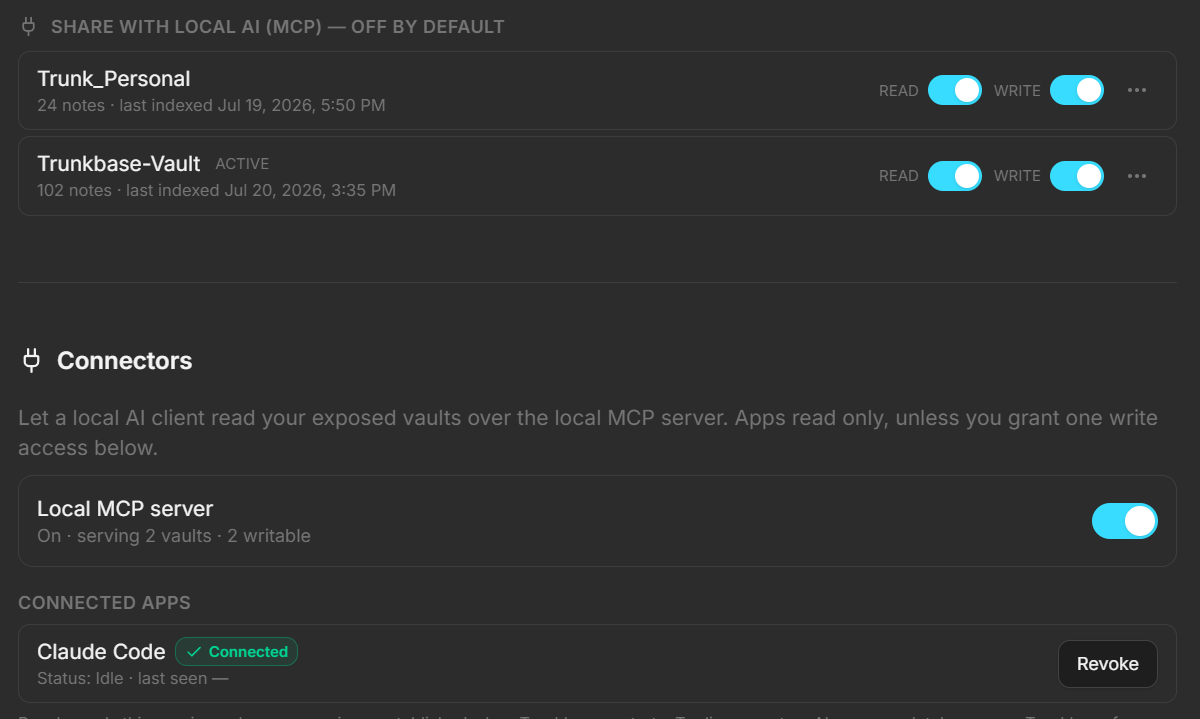
Access for AI is off until you turn it on, and it's fenced on every side:
- Off by default, per vault. Nothing is exposed until you flip a vault's exposure toggle. A vault you haven't shared is invisible — a request for it is refused without even confirming it exists.
- Read-only unless you opt in. Write access is a separate per-vault toggle, off by default, and it can only be enabled on a vault you've already exposed for reading.
- Consent on connect. A new client triggers an in-app Allow / Deny prompt naming the app and its scope. Nothing connects silently.
- One-click revoke. Cut off any client instantly, or take the whole server down with the master toggle. In-flight requests stop immediately.
- No delete, no move — ever. AI is never given tools to delete or move your files. Those handlers aren't a setting you might flip on by accident; they're not built into the AI-facing surface at all.
- Writes are labelled and reversible. When a connected app does write, the change is stamped with which app made it and shown with a "Generated by…" badge — and the previous version is snapshotted to the trash first, so any AI edit can be rolled back byte-for-byte.
The short version
You decide which vaults an AI can see, whether it can only read or also write, and which apps get in at all — and you can withdraw any of it in one click. Trunkbase gives AI a door; you hold the key.