Documents go in as opaque files. They come out as clean, searchable, structured knowledge you fully own — with the intelligence of modern machine learning and the privacy of a local-first app.
Decompose → Store → Find → Compose. Private by default.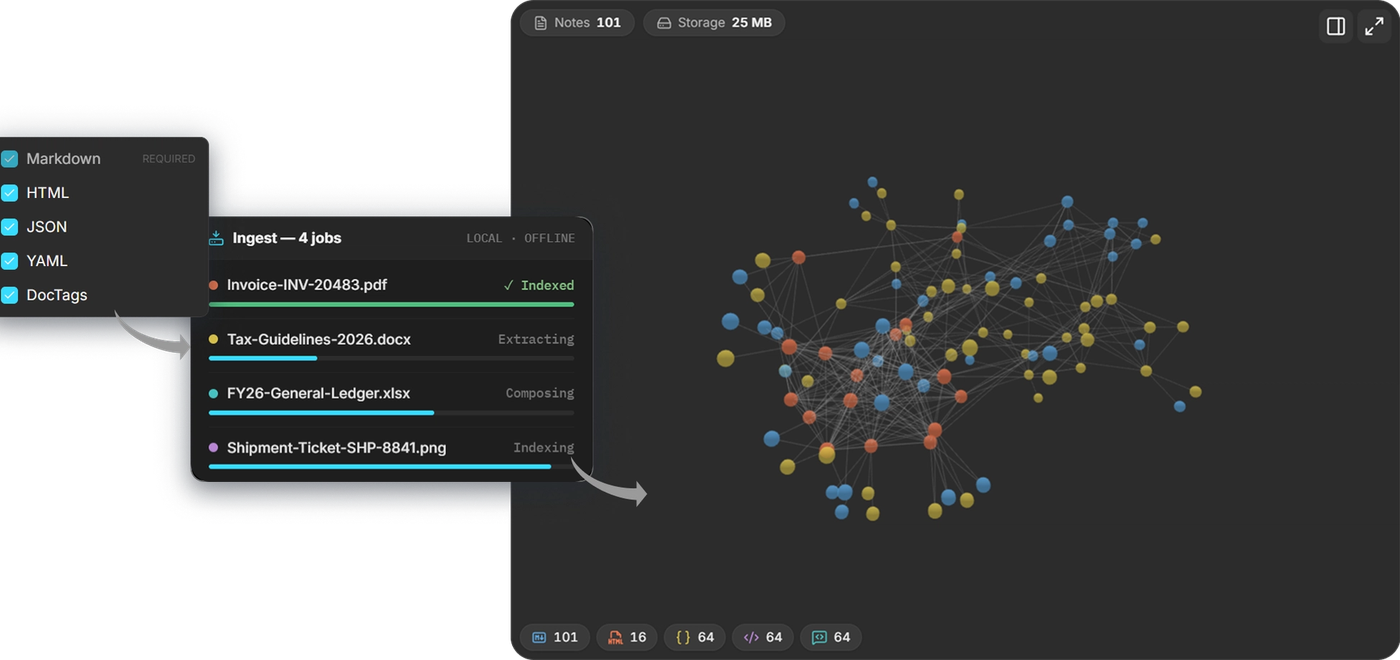
The decomposition pipeline
Trunkbase uses a "smart parser first, AI where it's needed" approach. It doesn't throw AI at everything — it applies the right tool to each file, which keeps it fast, accurate, and private.
- PDFs are parsed directly, page structure and all.
- Office files (Word, PowerPoint, Excel) go through dedicated readers.
- HTML is cleaned down to its real content.
- Markdown and plain text pass straight through.
🧠 Neural layout understanding
For PDFs and images, an on-device layout model identifies the structure of a page — what's a heading, a paragraph, a caption, a column — instead of dumping text in reading-disorder. Your converted document keeps its shape.
📊 AI table recognition (TableFormer)
Tables are where most converters fall apart. Trunkbase uses TableFormer, a purpose-built machine-learning model that reconstructs a table's rows, columns, and merged cells — so a financial table in a PDF becomes a real, usable table, not a jumble of numbers.
🔎 Smart OCR — only when it's needed
Trunkbase is smart about when to use AI. It first checks whether a PDF already contains readable text:
- Born-digital PDF (has a text layer) → read directly, OCR off. Fast and exact.
- Scanned PDF or image (just pixels) → escalate to on-device OCR to recognize the text.
This "escalation-only" design means AI is used precisely where it adds value — never wastefully.
⚡ Deterministic where it's smart to be
Word, PowerPoint, Excel, HTML, and plain text are read by exact, deterministic parsers — no AI guesswork, because their structure is already known. Plain text passes straight through with no models at all.
Only the genuinely ambiguous parts escalate to local machine-learning models — a PyTorch layout model and a table-recognition model for tricky layouts, and RapidOCR for scanned pages and images. Deterministic parsers do the bulk; the models handle the hard 5%.
Under the hood
Decomposed notes are embedded and stored in a local LanceDB index, and search is hybrid — keyword (BM25) and vector similarity fused together, with an optional third signal from the knowledge graph, which is projected with networkx. Everything runs on-device; cloud LLMs are only ever an opt-in, bring-your-own-key extra, never a dependency.
Built with open source
Trunkbase stands on the shoulders of the open-source community. Our privacy promise is only credible because the technology underneath it is open and auditable — not a mystery cloud service. Here are the projects that make Trunkbase possible, with our thanks.
Document intelligence
- Docling (IBM) — the document understanding engine behind our decomposer: neural layout analysis and the TableFormer table-recognition model.
- PyTorch — the machine-learning runtime powering our on-device layout and table models.
- RapidOCR — fast, on-device optical character recognition for scanned pages and images.
Search & knowledge
- LanceDB — the embedded vector + keyword database powering hybrid semantic search.
- FastEmbed (Qdrant) — efficient, local text embeddings.
- NetworkX — the graph engine behind the Vault Knowledge Graph.
App foundation
- Tauri — the secure, lightweight desktop shell.
- React, Vite, Tailwind CSS, Radix UI — the interface.
- FastAPI & Uvicorn — the local document engine.
- Model Context Protocol (FastMCP) — how Trunkbase connects safely to AI assistants.
Type & design